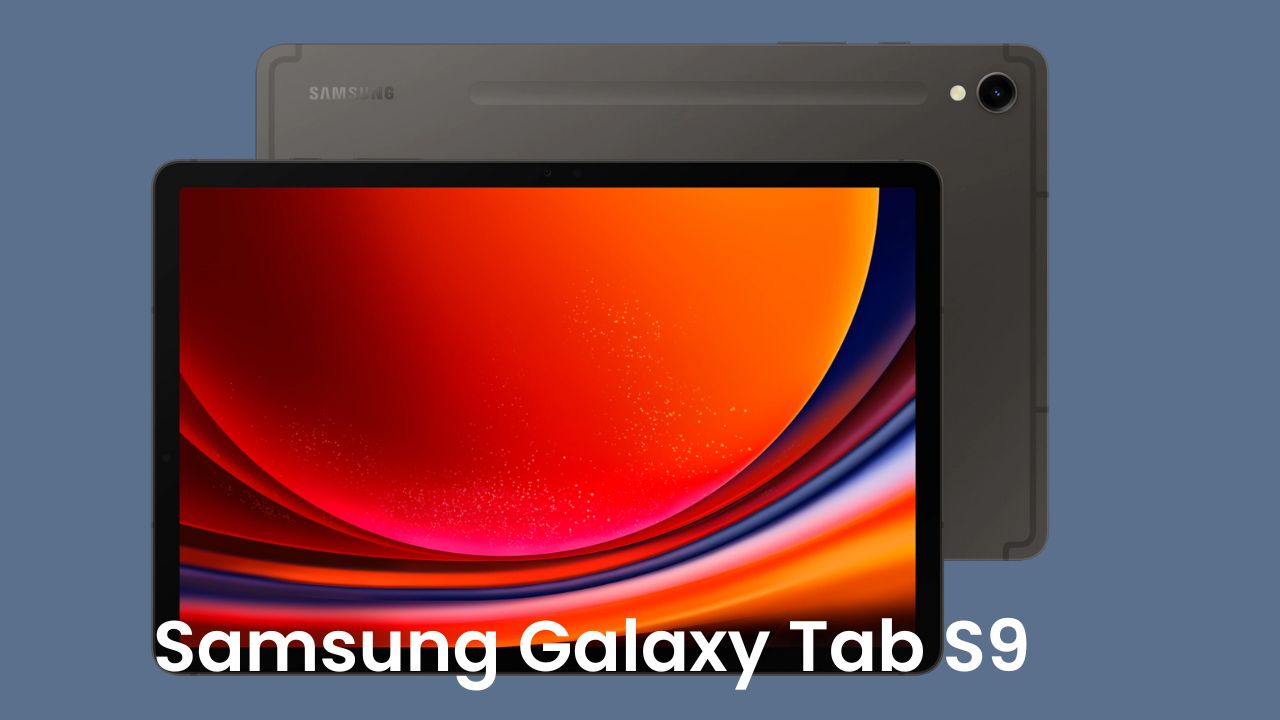
If you’ve ever wished your tablet could replace your laptop, the Samsung Galaxy Tab S9 Ultra might just be the one to make that dream real. When I first held it in my hands, I couldn’t believe how sleek and light it felt. The box was so thin that it almost made me think there couldn’t possibly be a full tablet inside!
Friends, this is one of those rare gadgets that actually feels premium the moment you touch it. From its massive 14.6-inch Super AMOLED display to its ridiculously slim 5.5mm profile, it’s a piece of tech that screams sophistication. Whether you’re a student, a professional, or someone who just loves good design, the Tab S9 Ultra is bound to impress you.
I’ve been using this tablet for a while now, and in this blog, I’ll share everything — from how it performs in daily life to whether it’s actually worth the high price tag.
Unboxing Experience: A Thin Box Packed with Surprises
The first thing that caught my attention was the box — super thin, minimal, and elegant. Inside, Samsung has been generous. You get:
- The tablet itself, of course
- S Pen included (no need to buy it separately!)
- Smart Book Cover that doubles up as a keyboard
- USB Type-C to Type-C cable
- Documentation and SIM tool
No charger, though — Samsung assumes most users already have one. But honestly, the unboxing already gives you that “flagship” feel.
Design and Build Quality: Sleek Yet Solid
Let’s talk about the design. At 5.5mm thin, this tablet feels almost unreal. To put it in perspective, most smartphones are around 8mm thick. Despite the large 14.6-inch screen, it weighs about 731 grams, but it doesn’t feel heavy at all thanks to perfect weight distribution.
The metal frame feels sturdy, and the build screams durability. You also get IP68 water and dust resistance, which is rare for tablets — and even the S Pen is IP68 rated!
Samsung has paid attention to small details — tactile buttons, antenna lines neatly integrated, and symmetrical speaker grills on both sides.
Display: The Showstopper
This is where Samsung has absolutely nailed it. The 14.6-inch Super AMOLED 2X display is simply stunning. It’s vibrant, crisp, and a joy to look at, whether you’re watching Netflix, editing photos, or just browsing.
It supports HDR10+, has 120Hz refresh rate, and comes with Samsung’s Vision Booster technology, which makes outdoor visibility much better. The bezels are impressively thin, and yes, there’s a small notch — but it’s functional, housing dual front cameras. If I had to sum up the display in one word: breathtaking.
Specs and Performance: Powerhouse in a Thin Body
Under the hood, the Tab S9 Ultra runs on Qualcomm Snapdragon 8 Gen 2 for Galaxy, one of the most powerful processors you can get right now. It’s paired with LPDDR5X RAM and UFS 4.0 storage, ensuring blazing-fast performance. You can open multiple apps, play heavy games, edit 4K videos, or multitask with Samsung DeX — everything just runs buttery smooth.
Here’s a quick snapshot of its key specs:
| Feature | Specification |
| Display | 14.6-inch Super AMOLED 2X, 120Hz, HDR10+ |
| Processor | Snapdragon 8 Gen 2 for Galaxy |
| RAM | 12GB / 16GB (depending on variant) |
| Storage | 256GB / 512GB / 1TB (expandable up to 1TB via microSD) |
| Battery | 11,200mAh with 45W fast charging |
| Rear Camera | 13MP (main) + 8MP (ultrawide) |
| Front Camera | 12MP (wide) + 12MP (ultrawide) |
| OS | Android 13 with One UI 5.1.1 |
| Weight | Approx. 731g |
| Connectivity | 5G, Wi-Fi 6E, Bluetooth 5.3, NFC |
| Water Resistance | IP68 (tablet + S Pen) |
This table pretty much sums up why this tablet feels like a laptop in disguise. It’s fast, reliable, and built for creators and professionals alike.
Battery and Charging: Long Days, Short Breaks
Despite being so slim, Samsung somehow managed to fit an 11,200mAh battery inside. On normal usage — browsing, Netflix, notes, and a few hours of YouTube — it easily lasts a full day.
Charging takes around 3 hours with a 45W charger, but it’s understandable considering the huge battery. What’s interesting is the reverse charging feature — you can actually charge your phone from the tablet or vice versa.
It’s also smart with battery optimization. The system automatically adjusts brightness and refresh rate to save power without compromising performance.
Audio and Multimedia: Portable Theatre Experience
Now, this is where I went “Wow” again. The quad-speaker setup tuned by AKG with Dolby Atmos support delivers exceptional sound. When you watch a movie or listen to music, it feels like sound is coming from all around you.
Honestly, this tablet is made for multimedia lovers. Pair that with the big AMOLED screen and it easily becomes one of the best entertainment devices on the market.
S Pen and Productivity: A Digital Artist’s Dream
If you’re someone who likes jotting down notes, sketching, or editing photos, the S Pen will make you smile. There’s almost zero latency, and it feels incredibly natural — like writing with an actual pen. Samsung has added some thoughtful software features too:
- GoodNotes and Samsung Notes for writing and annotating
- Clip Studio Paint for digital art (free 6-month access)
- LumaFusion for professional video editing (subscription included for a few months)
And when you attach the Book Cover Keyboard, it practically transforms into a mini laptop. Samsung DeX gives you a desktop-like interface where you can drag, resize, and multitask just like on Windows.
Cameras: Surprisingly Good for a Tablet
Tablets aren’t usually known for their cameras, but the Tab S9 Ultra breaks that stereotype. The dual rear cameras (13MP + 8MP ultrawide) and dual front cameras (12MP + 12MP ultrawide) deliver crisp photos and excellent video quality.
It even supports 4K 30fps recording from both front and rear. For video calls, Zoom meetings, or content creation, it’s one of the best camera systems you’ll find on any tablet today.
The ultrawide selfie camera is especially handy when multiple people are in frame — great for group calls or creators filming themselves.
Software and UI: Polished and Reliable
The tablet runs on Android 13 with One UI 5.1.1, and Samsung promises long-term software updates. The interface feels refined and is packed with useful features like split-screen, pop-up view, drag-and-drop, and more.
Multitasking is seamless. You can open three apps at once and still switch between them without lag. It’s clear that Samsung has optimized the software beautifully for this large screen.
Pricing and Variants in India
The Samsung Galaxy Tab S9 series comes in multiple variants:
- Galaxy Tab S9 (11-inch): 73,000 onwards
- Galaxy Tab S9+: 95,000 onwards
- Galaxy Tab S9 Ultra (14.6-inch): 1.09 lakh to 1.34 lakh depending on configuration
Yes, it’s expensive. But when you consider what it offers — top-of-the-line hardware, best display in its class, excellent productivity features, and long-term software support — it starts feeling like a justified investment.
Final Thoughts: Is It Worth Buying?
After spending time with the Samsung Galaxy Tab S9 Ultra, I can confidently say — it’s more than just a tablet. It’s a statement piece. Whether you’re an artist, a student, a business professional, or even a casual user who loves big screens, this device has something for everyone.
It’s powerful enough to replace your laptop, light enough to carry around all day, and beautiful enough to turn heads wherever you go.
Sure, it’s not cheap, but the experience it offers easily justifies the price tag. From the stunning AMOLED display and premium design to the powerful Snapdragon 8 Gen 2 processor, it’s hard to find a real alternative in the Android world right now.
So, if you’re in the market for a high-end tablet that blends power, design, and versatility, the Samsung Galaxy Tab S9 Ultra is hands down the best you can get today.