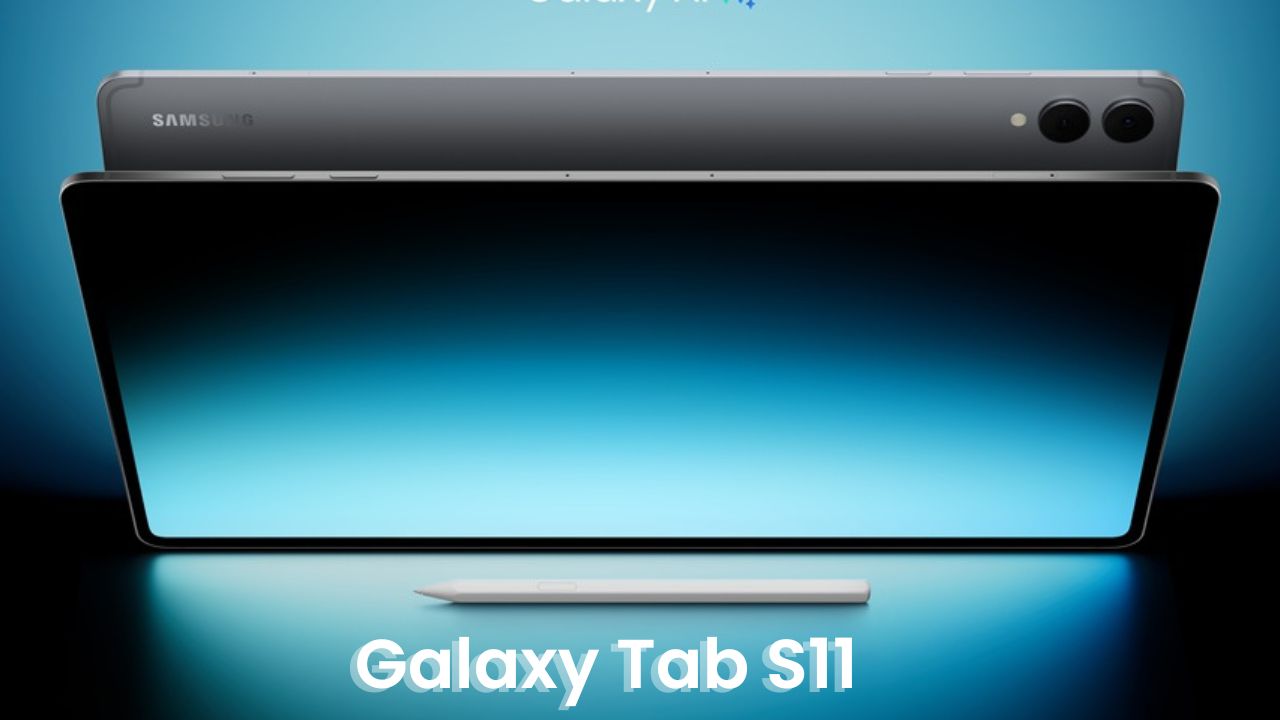
Hey everyone, this is Sock here from Saki Tech, and today I’m genuinely excited to talk about something that has already caught the attention of tablet lovers — the Samsung Galaxy Tab S11.
Now, this one is not the Ultra model. It’s the smaller 11-inch version, designed for people who prefer something lighter, more portable, and still powerful enough for serious work or creative play. I’ve spent some time exploring this tablet, and in this article, I’ll walk you through everything — from unboxing to features, real feel, and whether it’s worth picking over the S11 Ultra.
If you’re someone who loves tech that feels premium but fits easily in your bag, this might just be the tablet for you.
Unboxing Experience and First Impressions
Opening the box, the first thing that greets you is the sleek silver Galaxy Tab S11. The design instantly feels premium — thin, sturdy, and just the right size to hold comfortably in one hand. Alongside the tablet, Samsung includes a redesigned S Pen, a USB Type-C cable, and the usual paperwork.
The tablet comes in Silver and Gray options, and the starting price is around $800 (roughly ₹70,000 in India) for the 128GB model. If you’re lucky, you can even get some great introductory offers on the 256GB variant at the same price.
The new S Pen looks and feels better balanced. It attaches magnetically to the top of the tablet instead of the back, which is a neat little design change. I found this placement more practical since the pen stays accessible and doesn’t fall off easily when carrying the device around.
Design and Build Quality
Samsung has used Armor Aluminum around the frame and Gorilla Glass at the front, giving the tablet both durability and class. It’s incredibly thin — just 5.5 mm, which makes it lighter and easier to hold than most laptops or even some older tablets.
The sides feature a power button, volume rocker, quad speakers (two on each side), and a USB Type-C port. The microSD card slot is still there, which is great for anyone who wants to expand storage.
One small but important design tweak is the new connector placement for accessories. It has moved to the back, which means Samsung’s new keyboard cases snap on more securely. The current book cover keyboard works fine, but I’d personally wait for the newer one that includes a built-in trackpad — it’ll make multitasking smoother.
Display: Compact and Beautiful
The 11-inch display is the heart of this device. It’s an AMOLED panel with 120Hz refresh rate and a peak brightness of 1,600 nits — a major jump from last year’s 930 nits. Watching videos, browsing, or sketching feels incredibly vibrant and crisp.
However, unlike the S11 Ultra, the regular Tab S11 does not have an anti-reflective coating, which means in bright sunlight, you’ll see more reflections. Indoors though, it looks absolutely stunning.
Also, there’s no notch here — which I personally prefer. The slightly thicker bezels actually help when holding the tablet in landscape mode, especially during drawing or watching movies.
Specs and Performance
Under the hood, Samsung has packed the Dimensity 9400+ processor, which is about 25% faster than last year’s model in CPU, GPU, and AI tasks. Everyday use feels buttery smooth — whether you’re using Samsung Notes, running Dex, or editing videos.
You get 12GB RAM as standard, which is plenty for multitasking. Storage options include 128GB, 256GB, and 512GB, and yes, there’s still microSD support up to 2TB.
Here’s a quick look at the key specifications:
| Feature | Details |
| Display | 11-inch AMOLED, 120Hz, 1600 nits brightness |
| Processor | MediaTek Dimensity 9400+ |
| RAM | 12GB |
| Storage Options | 128GB / 256GB / 512GB + microSD up to 2TB |
| Camera | 13MP rear + 12MP front (wide-angle) |
| Battery | 8,400 mAh, 45W fast charging |
| Operating System | One UI 8 (Android 15) |
| Speakers | Quad Speakers with Dolby Atmos |
| Connectivity | Wi-Fi 6E (no Wi-Fi 7), Bluetooth 5.3 |
| S Pen | Redesigned, no Bluetooth air actions |
S Pen Experience: Smooth and Simple
One of the reasons many people choose Samsung tablets is the S Pen, and I have to say — this year’s stylus feels even better. It’s smoother on the screen and more precise while writing or drawing. The latency is low, and it genuinely feels like writing on paper.
You can take notes in Samsung Notes, doodle in your sketch app, or even use AI Drawing Assist to turn rough sketches into clean illustrations.
The only missing feature is Bluetooth Air Actions — that means you can’t control the tablet remotely using gestures anymore. The good part? You don’t have to charge the S Pen anymore. It’s always ready to go.
Battery Life and Charging
With an 8,400 mAh battery, the Tab S11 easily lasts a full day of moderate use — streaming, note-taking, video calls, and browsing. The 45W fast charging is impressive; it charges from 0 to 100% in about 1.5 hours.
Yes, the Ultra version has a bigger 11,600 mAh battery, but considering the S11’s smaller screen, the power efficiency balances things perfectly. You can trust this tablet to last through long work or study sessions without stress.
Software: One UI 8 and the New Samsung Dex
The tablet runs One UI 8 based on Android 15, and this new version feels polished and fast. Animations are fluid, and Samsung has added subtle design touches that make everyday tasks smoother.
The highlight for productivity users is the new Samsung Dex. It now works seamlessly — just tap the plus button in your recents menu to enter Dex mode. You can create up to four virtual desktop workspaces, each with its own set of apps and windows. It’s like having a mini laptop right inside your tablet.
Whether you’re editing documents, researching, or attending online classes, the experience feels close to a full PC setup.
Sound and Entertainment
Samsung didn’t hold back on audio. The quad-speaker setup with Dolby Atmos creates a surround sound effect that’s genuinely impressive for a tablet this size. Movies, YouTube, or even casual gaming sound rich and clear.
Combine that with the sharp AMOLED display, and you’ve got a brilliant portable entertainment device. Watching Netflix or Prime Video on this feels immersive and balanced, even without headphones.
Connectivity and Features
The Galaxy Tab S11 supports Wi-Fi 6E but skips Wi-Fi 7, which is available on the Ultra version. Honestly, for most Indian users, Wi-Fi 6E is more than enough right now. It’s fast, stable, and handles large downloads easily.
You also get face recognition and an in-display fingerprint sensor, both of which are quick and reliable. Personally, I prefer using the fingerprint sensor as it unlocks the tablet instantly with a light touch.
Camera and Multimedia Use
The 13MP rear camera and 12MP front camera do a good job for video calls, note scanning, or casual shots. Of course, no one buys a tablet for photography, but it’s nice to know that you can rely on it for decent-quality Zoom or Google Meet calls.
Video clarity is crisp, and the microphones pick up sound clearly, which is a plus for creators or teachers who record online lectures.
Verdict: Should You Buy the Galaxy Tab S11?
After spending time with it, I can confidently say the Galaxy Tab S11 hits the sweet spot between portability, performance, and price. It’s perfect for students, digital artists, content creators, and professionals who want a powerful yet manageable tablet that fits into daily life.
Sure, it misses out on Wi-Fi 7 and the anti-reflective coating from the Ultra model, but in return, you get something lighter, simpler, and easier to use anywhere.
If you’re not chasing specs on paper but want a well-rounded tablet that feels premium and performs like a champ, the Samsung Galaxy Tab S11 is an excellent choice in 2025.
Final Thoughts:
For me, it’s not just about specs — it’s about how the device fits into your lifestyle. And the Tab S11 fits beautifully. Whether you’re sketching ideas, editing photos, attending classes, or just relaxing with a movie, it’s got you covered. A tablet that’s practical, elegant, and ready for everyday Indian life — that’s the Samsung Galaxy Tab S11.