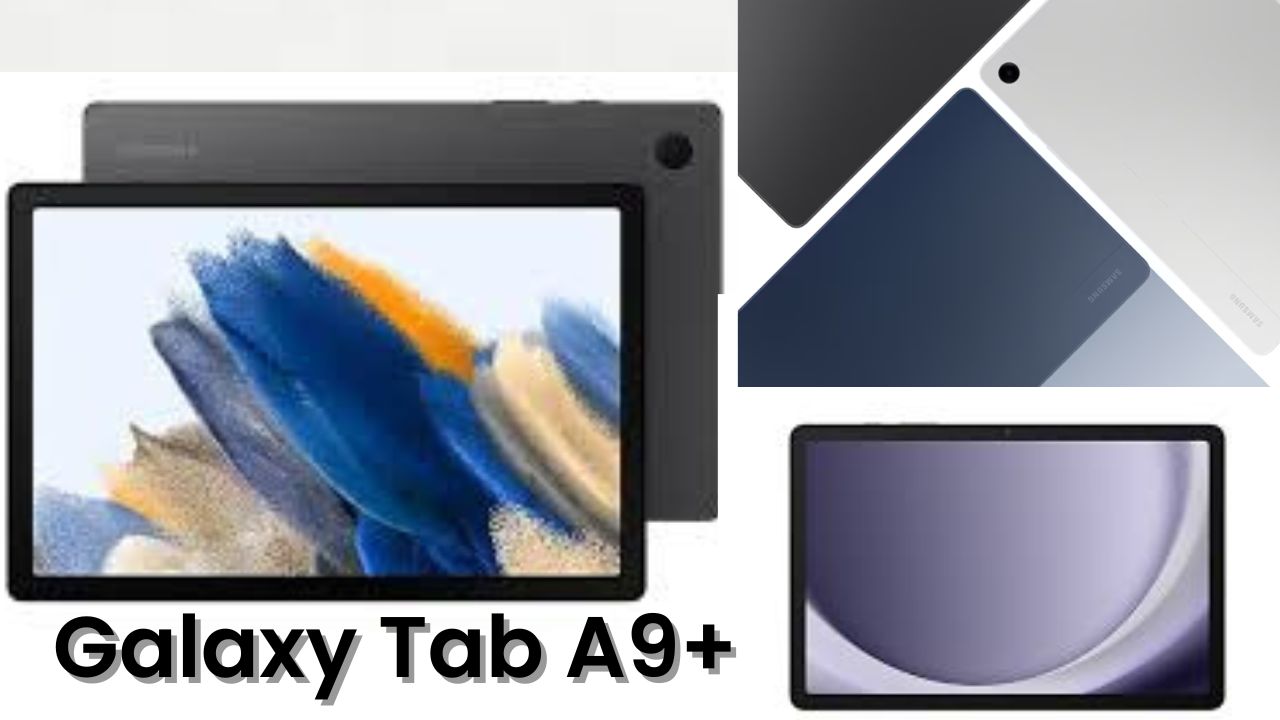
When I first ordered the Samsung Galaxy Tab A9 Plus, I honestly didn’t expect much. At around 20,000, tablets usually come with average displays, sluggish performance, and dull sound. But as soon as I unboxed this one, I realized Samsung is changing the budget tablet game — and doing it in style.
Let’s talk about my complete experience after using the Tab A9 Plus for a few days — from unboxing to gaming, movies, and even work.
Unboxing and First Impressions
The silver color variant I got looks absolutely stunning — it instantly gives you that premium laptop-like feel. Inside the box, you get the tablet, a Type-C to Type-C cable, and that’s about it. No charger, no earphones, nothing fancy.
But as soon as you hold the tablet, you’ll feel where your money went. The metal body feels strong and classy, just like Samsung’s high-end laptops. It’s slim, lightweight, and beautifully balanced. You can easily hold it for hours — perfect for watching movies or reading e-books during travel.
Currently, I didn’t find any official Samsung accessories on the website, but since it has pogo pins on the bottom, I’m pretty sure a keyboard cover will be available soon.
Display and Design Experience
The Tab A9 Plus features an 11-inch display with excellent brightness levels. Even outdoors, I had no problem reading or watching videos — that’s something rare in this price range.
Colors look natural, not too punchy, and the overall display quality feels rich and vibrant. Whether you’re scrolling through social media or watching Netflix, the viewing experience is smooth and immersive.
What I really liked was the minimal bezels around the screen — they give you that modern look while still leaving enough room to hold the tablet comfortably.
Sound Quality That Surprises
Now, if you love watching shows or YouTube videos, this is where Samsung completely wins. The Tab A9 Plus comes with quad speakers — two on the top and two at the bottom — and they’re tuned with Dolby Atmos.
The sound feels rich, loud, and clear. You can actually sense the surround effect while watching action scenes or listening to music. I played a few Punjabi tracks, and honestly, it felt like the sound was coming from all around.
For entertainment lovers, this tablet delivers a theater-like experience right in your hands.
Performance and Software Experience
Under the hood, the Tab A9 Plus runs on a Snapdragon 695 processor, which is a 5G-capable chip. My unit has 8GB RAM and 128GB storage, and the performance felt smooth for almost everything — streaming, browsing, note-taking, and even gaming.
Samsung’s One UI is clean and simple. It comes with very few pre-installed apps, which is a huge relief. You get all the basic tools, plus Samsung DeX-like productivity features where you can open multiple apps in split-screen mode, just like on a PC.
That feature alone made multitasking much easier — for instance, I could watch a YouTube video while taking notes or replying to emails in another window.
Quick Specs Table
| Feature | Details |
| Display | 11-inch LCD, Full HD+, 90Hz refresh rate |
| Processor | Qualcomm Snapdragon 695 (5G) |
| RAM / Storage | 8GB RAM / 128GB ROM |
| Battery | 8,000 mAh with 15W fast charging |
| Rear Camera | 8 MP |
| Front Camera | 5 MP |
| Speakers | Quad Speaker setup with Dolby Atmos |
| OS | Android 13 with Samsung One UI |
| Weight | Around 480 grams |
| Connectivity | 5G, Wi-Fi, Bluetooth 5.3, USB Type-C |
Camera Quality
Let’s be honest — tablets are not meant for photography, but still, Samsung gives a decent setup here. The 8MP rear camera captures surprisingly clear shots in daylight. I tried clicking some flowers in my garden, and the colors came out bright and accurate.
The 5MP front camera is just okay for selfies, but it’s perfect for video calls and online meetings. You can shoot videos at 1080p 30fps, and the quality is good enough for Zoom or Google Meet sessions.
So if your main use is casual video calls or online classes, this camera setup will easily handle it.
Gaming and Performance Testing
Now, I had to test how this tablet handles gaming. I played BGMI and Asphalt 9, both at medium to high settings. BGMI ran smoothly at HD graphics and high frame rate, with only minimal lag here and there.
The display size really enhances the gaming feel — you get that big-screen advantage with solid touch response. After about 30 minutes of gaming, the tablet stayed cool, no heating issues at all.
I also ran a 15-minute throttling test, and the performance remained consistent throughout. The AnTuTu score was around 4 lakh, which is quite impressive for a tablet in this range.
For casual gamers, students, and entertainment lovers — this one easily passes the test.
Battery Life and Charging
The 8000 mAh battery easily lasts a full day of heavy usage. I watched movies, browsed the web, attended a couple of online meetings, and still had some battery left by night.
The only slight downside is that you get just 15W charging support. It’s not super fast, so charging takes around 2 hours. But the battery life is strong enough that you won’t need to plug it in very often.
Productivity and Daily Use
For work or study, the Tab A9 Plus feels great. You can pair a Bluetooth keyboard or use Samsung’s book cover keyboard (when available) and easily write notes, draft emails, or attend classes.
Samsung’s multitasking features like split-screen, pop-up view, and quick access to the calendar or Samsung Notes make it a solid productivity device for students or professionals.
Even simple things like reading PDFs or sketching using a stylus (though it doesn’t come with one) feel smooth and natural on this display.
My Honest Thoughts
After using the Samsung Galaxy Tab A9 Plus for about a week, I can confidently say — this tablet is worth every rupee if you want something stylish, powerful, and reliable.
It’s not a laptop replacement, but for 90% of users — watching OTT content, attending classes, reading, or light work — it delivers a premium experience at a mid-range price.
The sound, display, and build quality give it a much higher-end feel than what it costs. Samsung has really nailed the balance between performance and value this time.
Final Verdict
If your budget is under 20,000 and you’re looking for a tablet for entertainment, study, or even casual gaming, the Samsung Galaxy Tab A9 Plus should be on top of your list.
Pros:
- Premium metal body
- Excellent display and sound
- Smooth performance
- Great battery backup
- Clean software experience
Cons:
- Slow charging
- Average camera performance
Overall, it’s a solid all-rounder tablet that feels premium yet doesn’t burn a hole in your pocket. I bought mine from Samsung’s official website, and I’d happily recommend it to anyone looking for a reliable, long-lasting tablet for 2025.