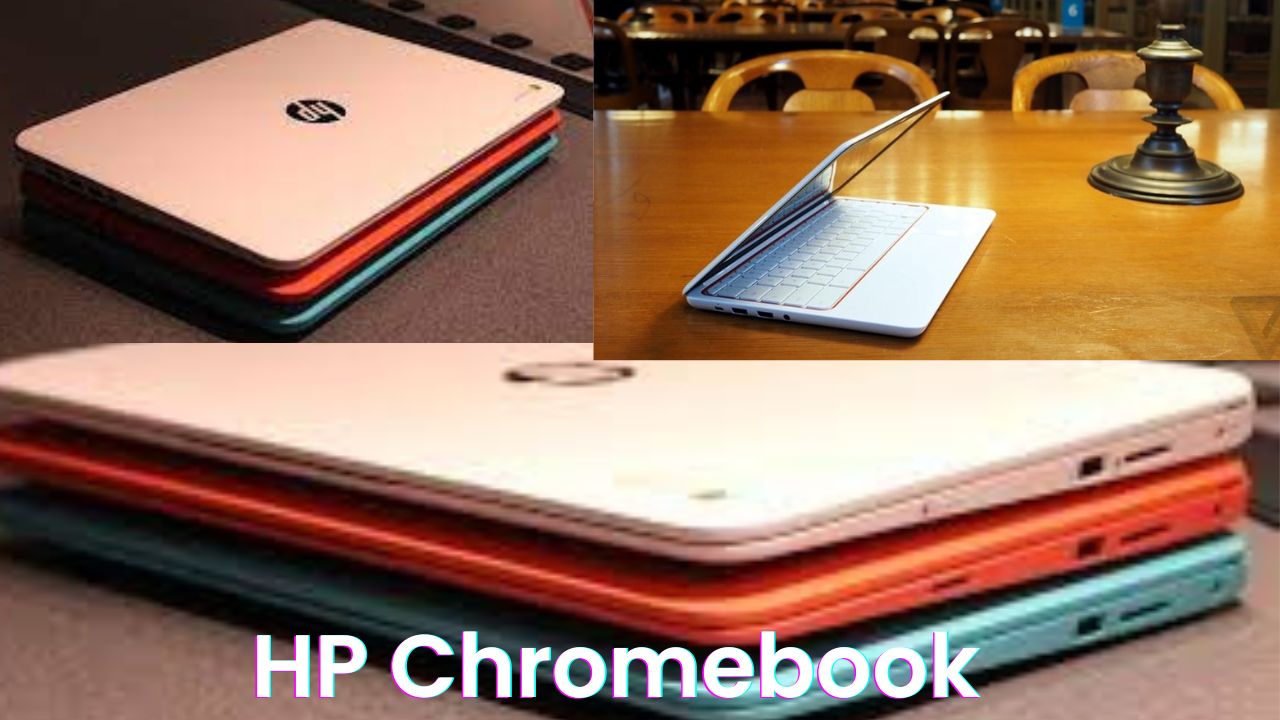
A few years ago, buying a laptop in India meant spending at least ₹40,000–₹50,000 for something decent. But times have changed fast. Today, you can get a full touchscreen, flip-and-fold laptop that works both as a laptop and tablet — for around ₹24,000! Sounds unreal, right?
That’s exactly what caught my attention when I got my hands on the HP Chromebook, one of the most affordable and interesting gadgets to launch in this price range. I’ve been using it for a while now, and I have to say — this little machine really surprised me. Let’s go through what makes it special, how it performs in real-life daily use, and whether it’s actually worth your money in 2025.
Unboxing and First Impressions
The box comes neatly packed with the Chromebook itself and a 45W Type-C charger. The good part? It uses a USB Type-C port, so you can even charge it using your phone charger or power bank. This small detail makes it feel so convenient — especially for students and travelers.
Holding it in hand for the first time, I was honestly impressed. The device feels light, portable, and strong — not flimsy like many other budget laptops. HP has done a neat job here. The hinges are metallic, which adds solid durability. And yes, you can flip it 360 degrees to use it as a tablet.
The back has a shiny HP logo, and “Chromebook” branding reminds you that this machine runs on Google’s Chrome OS — not Windows. That’s where things get really interesting.
Design and Build Quality
Design-wise, HP has nailed the minimal, clean look. The top panel is smooth with subtle curves, and the body doesn’t creak even when you fold or twist it. It’s lightweight — roughly 1.4 kg — which makes it perfect for carrying to college, office, or even a café.
When you open it, you’ll notice a compact keyboard that feels surprisingly comfortable. There’s not much flex, and the keys have decent travel. HP has added small rubberized edges near the keyboard to prevent the screen from touching the keys when closed — a thoughtful little touch.
Also, the touchpad is responsive, and since the whole display is touchscreen, you’ll often find yourself just tapping and scrolling like on a phone.
Performance and Day-to-Day Experience
Let’s talk about how it actually performs. The HP Chromebook is powered by an Intel Celeron N4020 processor, paired with 4GB LPDDR4 RAM and 64GB eMMC storage. Now, that might sound basic on paper — but Chrome OS is a lightweight system.
Booting it up feels like unlocking a smartphone — fast and instant. No long loading screens. You close the lid, it locks; you open it, it’s ready. That’s one of the biggest advantages of Chromebooks — they’re made for speed and simplicity.
I used it for browsing, YouTube, Google Docs, and even light photo editing — and it worked smoothly. For normal tasks like writing, attending online meetings, managing emails, or streaming Netflix, it’s perfect.
Of course, this isn’t made for heavy gaming or video editing. But for students, freelancers, or anyone who wants a compact daily-use laptop, it does the job beautifully.
HP Chromebook Specifications Table
| Feature | Details |
| Display | 14-inch HD Touchscreen (1366×768) |
| Processor | Intel Celeron N4020 Dual Core |
| RAM | 4GB LPDDR4 |
| Storage | 64GB eMMC (Expandable via microSD) |
| Battery | 45W Type-C Fast Charging, up to 10 Hours Backup |
| Camera | HD Webcam (720p) |
| Operating System | Google Chrome OS |
| Connectivity | Dual USB Type-C, USB-A, Bluetooth 5.0, Wi-Fi |
| Weight | Around 1.4 kg |
| Special Features | Convertible 2-in-1 Design, Android App Support, Quick Boot |
Touchscreen and Tablet Mode Experience
The touch display is honestly the highlight here. It’s bright enough for indoor use, and responsive like a good tablet. I tried using it in tablet mode, folded completely back, and it automatically disabled the keyboard — a clever feature.
Watching YouTube videos, reading e-books, or even doodling in the built-in Canvas app feels natural. You can literally pick it up like a tablet, swipe through photos, and enjoy that smartphone-like speed.
I even used the Stylus feature (with a generic pen) to make some drawings — not professional level, but it worked fine for light sketching or taking notes.
Battery Life and Charging
Now, the battery life — one of the most important parts for Indian users. HP promises up to 10 hours, and in my experience, I easily got around 8 to 9 hours on moderate use. That’s a full working day.
Charging through the Type-C port is fast — around 45 minutes from 0 to 50%. And the best thing? You can charge it using your mobile charger or a power bank. That’s something even premium laptops don’t offer this easily. So if you’re traveling, attending college, or working remotely, this laptop won’t die on you too soon.
Software and Features
Chrome OS is basically built around the Google ecosystem — you get Google Docs, Sheets, Gmail, YouTube, and even Android apps from the Play Store. That means you can install games like Candy Crush, Asphalt 9, and productivity tools like Canva, Zoom, and WhatsApp Web.
The system updates automatically, so there’s no “Windows update” headache. It’s super secure and optimized for online work. Plus, Nearby Share lets you send files wirelessly between your phone and laptop — just like AirDrop on Apple devices.
And here’s something cool: if you hold three fingers and swipe, you can switch between open windows smoothly — it actually feels fun to use.
Gaming and Multimedia Experience
Let’s be honest — this isn’t built for hardcore gaming. But casual games like Ludo, Candy Crush, Chess, or even Asphalt 9 run decently for short sessions. If you play for long hours, you might see a few frame drops, but it’s playable.
Audio quality is decent — loud enough for watching videos or attending classes. The HD webcam is good for video calls and Google Meet sessions, and the mic picks up clear voice.
For streaming Netflix, Prime Video, or YouTube, it’s perfect. The speakers are clear, though not too bass-heavy — which is expected at this price.
Who Should Buy This Laptop
If you’re a student, freelancer, or a casual user who mainly does browsing, writing, video calls, or watching content — this laptop is for you.
It’s also great for kids and beginners who are new to laptops. Chrome OS is so simple that even first-time users can start using it in minutes.
If you’re expecting to run heavy Windows apps or play big PC games, this is not for you. But if you want a lightweight, fast, affordable everyday laptop, it’s honestly one of the best under ₹25,000 right now.
Final Verdict: Should You Buy It?
To sum it up, the HP Chromebook delivers way more than what you’d expect for this price. A 2-in-1 touchscreen design, solid build, great battery backup, and the flexibility of Chrome OS — all for around 24,000.
Sure, it’s not a powerhouse, but it’s smart, efficient, and super practical. In a world where even budget phones cost 20,000+, getting a full laptop at this price feels refreshing. I’d definitely recommend it to students, home users, or anyone looking for an affordable, modern, and fun-to-use laptop.