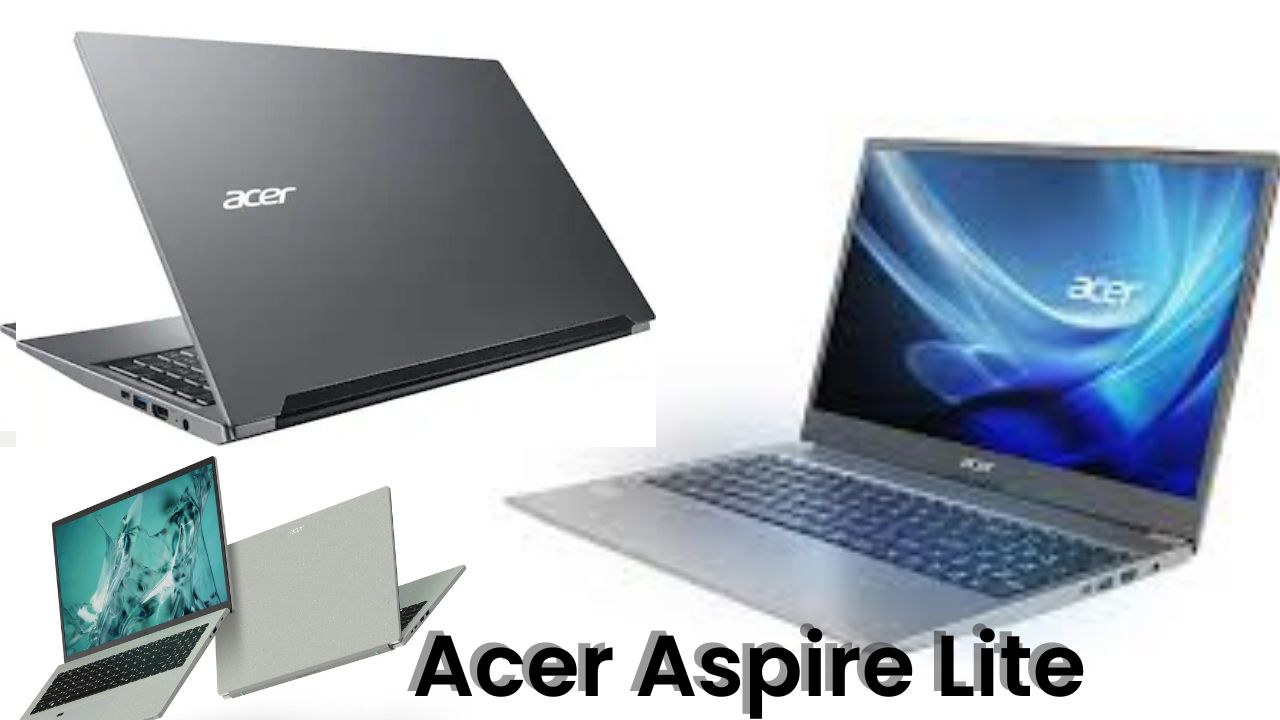
You know that feeling when you unbox something and it instantly feels better than what you paid for? That’s exactly how I felt when I got my hands on the Acer Aspire Lite. To be honest, I wasn’t expecting much — it’s marketed as a budget laptop, meant for light work, online classes, and basic productivity. But the moment I picked it up, I knew Acer had done something right this time.
I’ve been using laptops for years, from top-end gaming beasts to everyday notebooks, and one thing I’ve learned — a laptop doesn’t need to be flashy to be good. Sometimes, simple and smart design, solid specs, and real-world usability make all the difference. The Acer Aspire Lite feels like one of those “smart” choices — a laptop that gets the job done without shouting for attention.
Design & Build Quality: Minimal, Clean, and Surprisingly Premium
Let’s start with the looks, because first impressions do matter. The Aspire Lite carries a very minimalistic silver design with Acer branding right in the middle. No unnecessary textures or loud elements — just a clean, professional vibe.
The top lid is made of metal, which instantly gives it a premium touch, while the bottom part is polycarbonate. Still, the build feels sturdy enough for daily use. The hinge feels solid, and though you’ll notice a tiny wobble if you shake it, nothing concerning at all. The laptop can open up to almost 180 degrees, which is great for presentations or sharing your screen easily.
Weight-wise, it’s light enough to carry in your backpack without feeling bulky — perfect for students or professionals who move between classes, cafés, or offices.
Display: Crisp Enough for Daily Use
The Aspire Lite packs a 15.6-inch Full HD IPS display. I was relieved to see that Acer ditched the old TN panels from earlier models. The IPS panel offers much better color accuracy and viewing angles, making it ideal for movies, browsing, and casual photo editing.
However, it’s not a color-accurate display for professionals doing heavy design or color grading — it covers around 45% NTSC color gamut, so creators should look at higher models. Brightness is good for indoor use but feels average outdoors. For a budget laptop though, it’s more than decent.
Keyboard and Trackpad: Good Vibes While Typing
Typing on this laptop feels comfortable. The keyboard is full-sized with a numeric keypad and comes with white backlighting, which helps a lot during late-night work or college assignments. The keys have a soft click with decent travel, giving a satisfying feel overall.
The trackpad is large and supports all gestures, though it’s made of plastic, so you might hear a slight click sound when pressing it. I personally didn’t mind it — it’s responsive and does its job well.
Performance: H-Series Processor Brings the Heat
Here’s the part that surprised me most — performance. Acer has included an Intel H-series processor in this machine. That’s the same kind of chip we see in entry-level gaming laptops. What that means is — this laptop can handle more than just browsing and MS Office work.
I ran a few benchmarks like Cinebench and Geekbench, and the scores came out quite impressive for its price range. In real life, that translates to smooth multitasking — dozens of Chrome tabs, YouTube playback, Word, Excel, all running without any lag.
For normal tasks like coding, content writing, and video calls, it feels quick and reliable. I even tried some light gaming — CS2, GTA V, and Valorant — and it actually held up decently on low settings. Don’t expect miracles, but it’s playable.
Here’s a quick look at some of the core specs in a table format:
| Specification | Details |
| Processor | Intel H-Series (up to 12th Gen) |
| RAM | 12GB / 16GB LPDDR5 (non-upgradable) |
| Storage | 512GB SSD (expandable up to 1TB) |
| Display | 15.6-inch Full HD IPS |
| Battery | 55 Wh (Up to 5–6 hours backup) |
| Webcam | 720p with Privacy Shutter |
| Ports | USB 3.0 Type-A & Type-C, HDMI, LAN, SD Card Reader |
| Weight | Around 1.7 kg |
| Price (Approx) | 45,000–50,000 (depending on variant) |
This table sums up how balanced this laptop really is. You’re getting performance, speed, and essential connectivity all in one neat package.
Battery Life: Decent but Depends on Your Usage
Battery life is where things stay fairly average. It houses a 3-cell 55 Wh battery, which gives me around 5 to 6 hours of usage on normal brightness with Wi-Fi and office work. If you’re editing videos or gaming, it’ll drop faster — that’s expected from an H-series processor that demands more power.
Charging time is reasonable, and Acer includes a 90W charger in the box. I do wish it supported Type-C charging, though. It’s 2025 — time to move fully Type-C, right?
Audio & Webcam: Average but Functional
The speakers on the Aspire Lite are placed both on the top and bottom. Sound quality is decent — clear for calls, YouTube, or light music, but not something you’d use for parties. Still, they’re fine for work-from-home setups.
The 2MP webcam supports 720p recording and even includes a privacy shutter, which is a nice touch. The video quality is okay — colors look a bit faded, but for meetings and online classes, it gets the job done.
Heat and Noise: Cool Performer
Even with an H-series processor, the thermal control here is handled nicely. During my stress tests, the laptop did get warm near the center keyboard area but nothing alarming. Fans stay mostly quiet, only spinning up under heavy load.
Acer has clearly done some optimization with the vents and internal design to keep air flowing smoothly — and it works.
Upgradability & Storage
One thing to note — the RAM is not upgradable since it’s LPDDR5 and soldered on the board. So, choose your variant wisely. I’d personally recommend going with the 16GB version, just to be future-proof.
Storage, on the other hand, can be upgraded. You can replace or expand the SSD up to 1TB, which is great for creators or anyone storing large files.
Connectivity & Ports
You get almost every essential port here:
- 1 x USB Type-C 3.0 (data transfer only)
- 2 x USB Type-A 3.0
- 1 x HDMI (supports 4K 60Hz and 2K 144Hz)
- 1 x RJ-45 LAN port
- 1 x SD Card Reader
- 1 x Headphone/Mic combo jack
It’s a well-rounded setup for students, office users, or content creators who often plug in multiple devices.
Who Should Buy the Acer Aspire Lite?
If you’re a student, office worker, or content creator on a tight budget, this laptop fits beautifully. You can run your productivity apps, browse, edit photos, attend meetings, and even play light games occasionally.
It’s not made for high-end creators or gamers — if you need that level of power, go for a dedicated GPU model or an i7/i9 machine. But for most everyday users, this laptop is perfectly balanced.
Final Verdict: Worth Every Rupee Under ₹50K
To sum it up, the Acer Aspire Lite is one of those rare budget laptops that actually feels premium in design and delivers respectable performance. The H-series chip gives it an edge over most entry-level machines, and the IPS display, backlit keyboard, and decent battery life make it a complete package.
If you find the 16GB variant around 45,000–47,000, it’s an easy recommendation. For those looking to upgrade from an old system or buy their first laptop for college or work — this is a smart buy.
Acer has quietly made a laptop that doesn’t scream specs but simply performs. And in today’s world of flashy marketing, that’s refreshing.
So yes, the Acer Aspire Lite truly surprised me — not because it’s perfect, but because it proves that a laptop doesn’t need to be expensive to feel right.